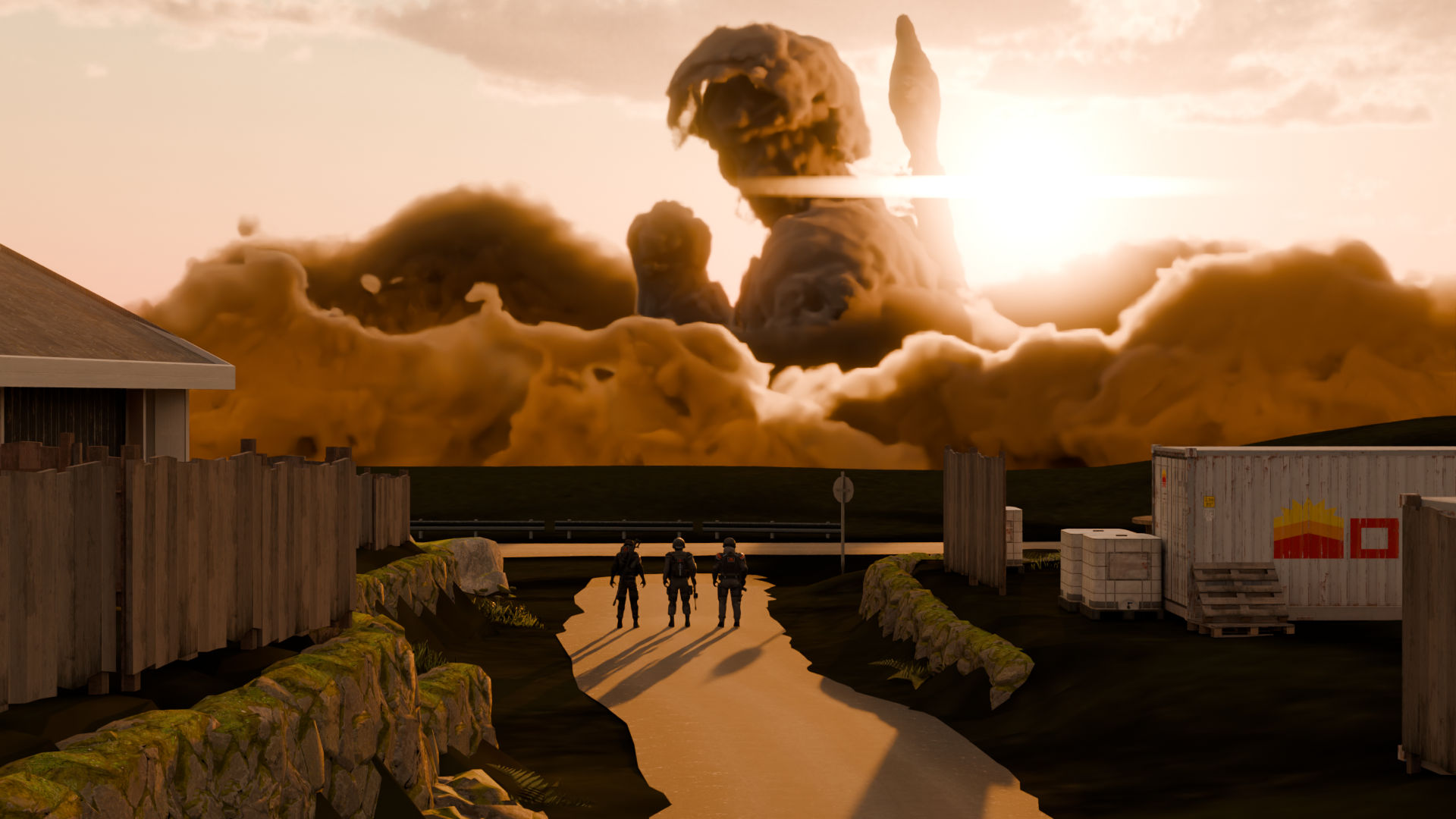
8 - R.I.P. Engineer
2 minutes read
In Jojo, after a major character dies, they are shown as clouds rising to the sky. (Spoiler for Stardust Crusaders below.)

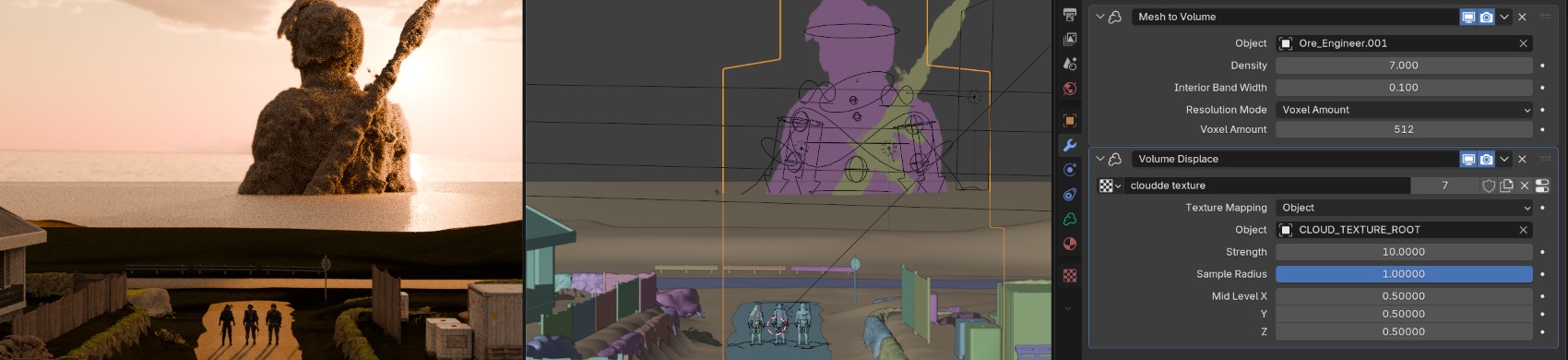
To replicate this effect, I created an Empty volume object, and then I applied a Mesh to volume modifier to convert the Engineer mesh into a volume. The “cloud” appearance is made by using a Volume displace which moves the volume depending on a texture. For this I used a Cloud texture generated by Blender, whose coordinates are determined by an Empty object in the scene. By animating this object, the clouds appear to be moving.
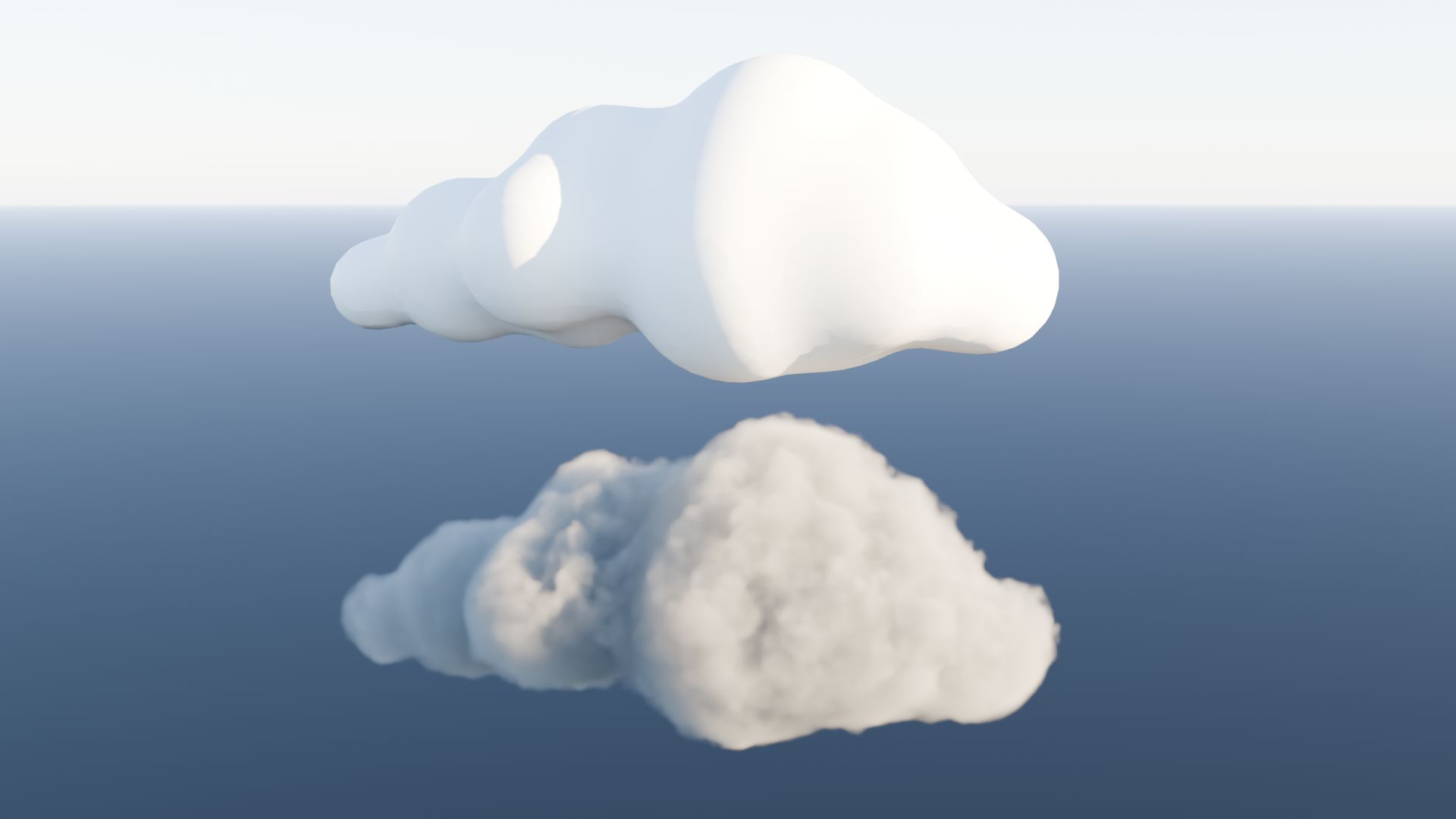
To hide the sea with clouds, I used the same technique with meshes made out of Metaballs. Placing Metaballs near each other will allow them to connect and to create an organic cloud shape. They can then be converted to a mesh. The result makes a convincing cloud.
This scene was very difficult to make, as it was necessary to use Cycles to get good results with the volumes, which are already complicated to work with performance-wise. I needed to obtain a dense cloud with the right amount of detail, to do this I had to make long renders every time I changed something, because the viewport was not detailed enough.
The scene is also backlit, which made the clouds and characters quite dark. I added some lights to reduce this effect.
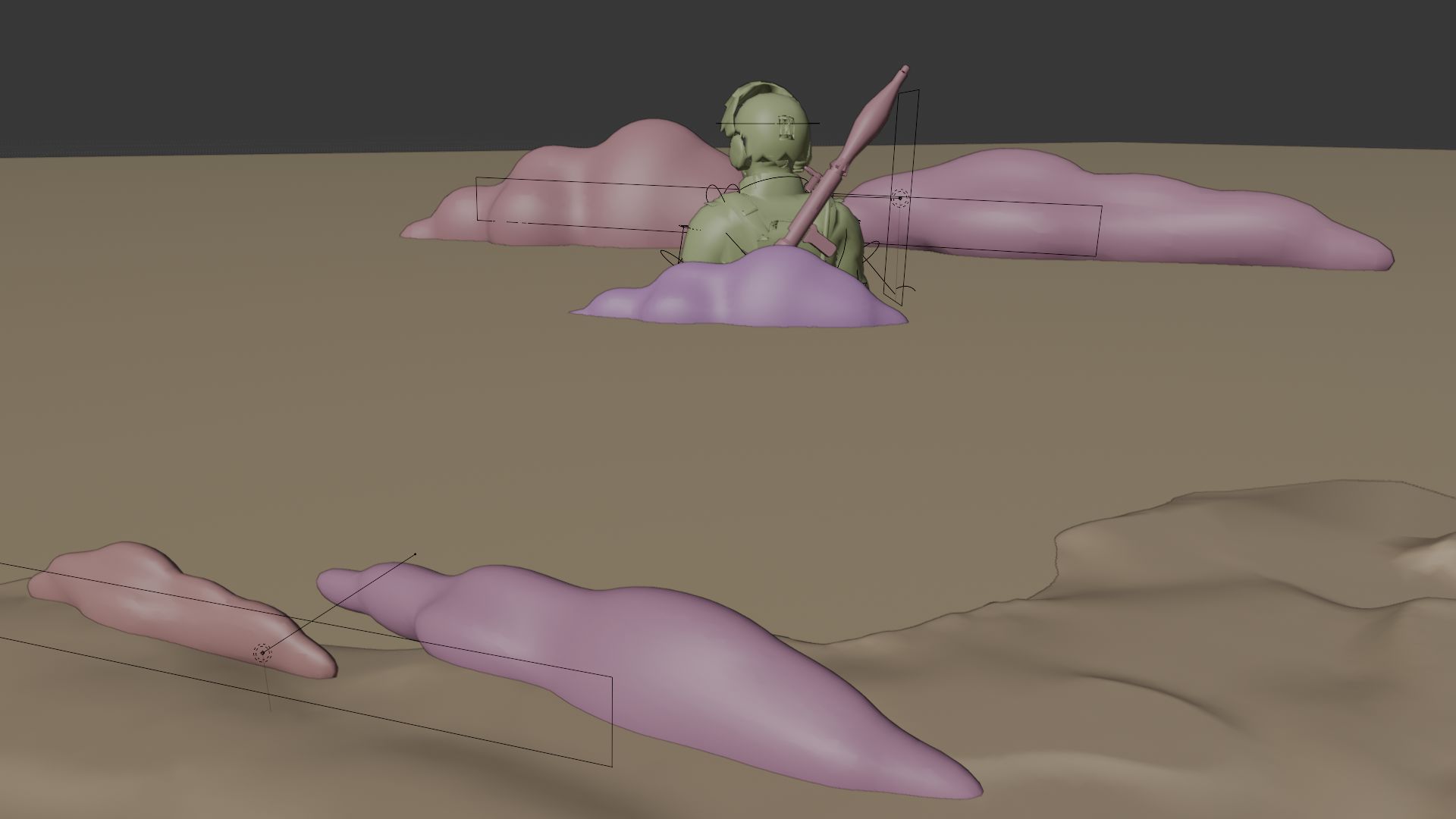
I think the result is good even though you can’t have the same detail as a drawing with this technique. The clouds also look a bit… liquid ? But modifying the parameters again would have been too troublesome at this point.