1 - Class Selection
3 minutes read
Scene
The scene is the main menu map from Forefront, with a HDRI from Blendkit.
I added a semi-transparent watermark on the desk, which will come back in some other scenes. I was inspired by Timotainment who used to integrate his watermark and made it interact with the elements in his scenes. I tried to integrate mine in similar ways.
This scene is a reference to Forefront being heavily biased towards vehicle warfare, which makes any class other than Engineer irrelevant.
Light cones
Each character is lit by two light sources, which increase in intensity at the same time a light cone appears.
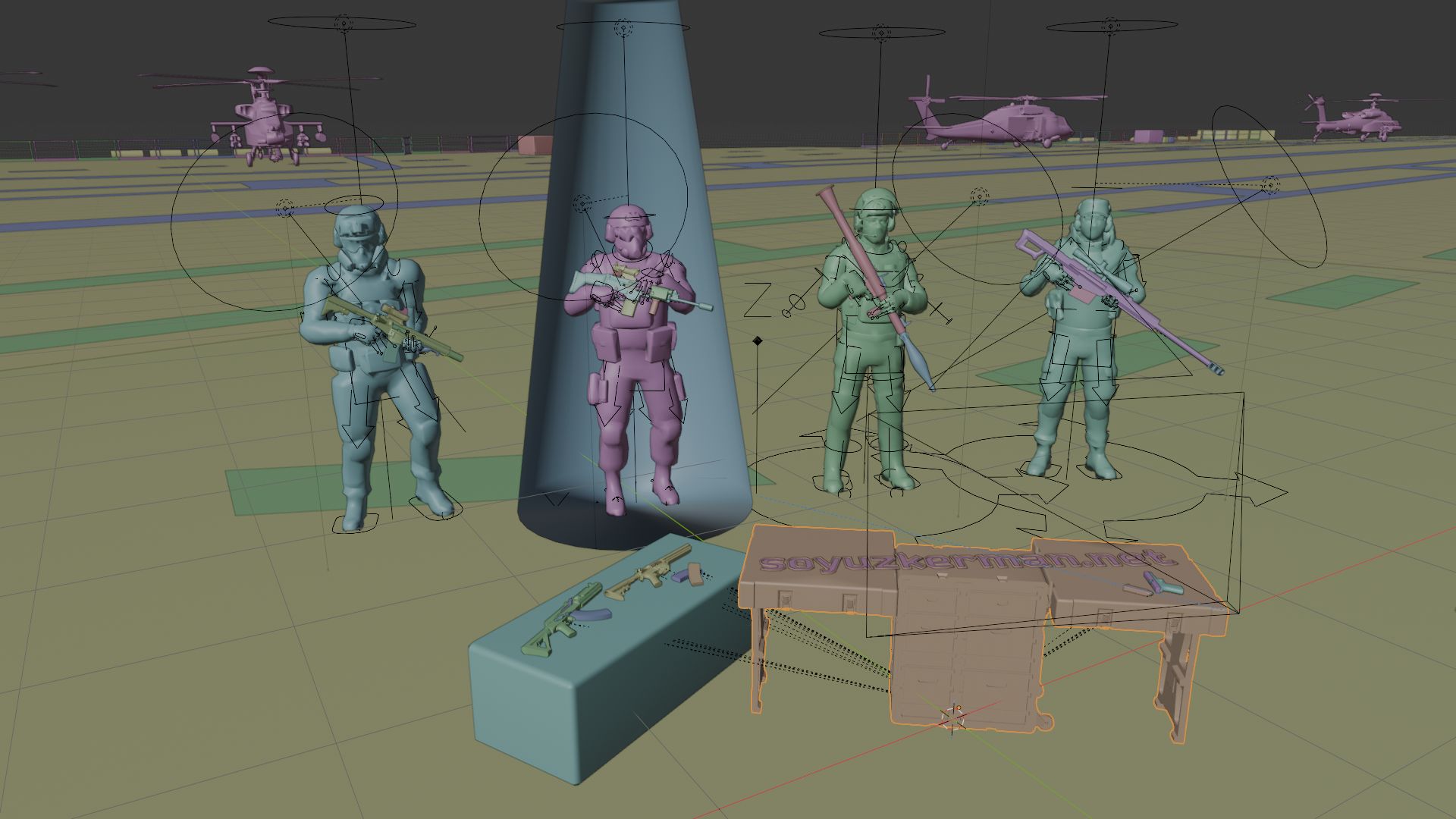
This light cone was made by merging the vertices at the top of a cylinder object, then inverting the normals so that from the outside, you can see the character placed inside.
The material is a mix between a transparent shader and an emissive shader with a Blackbody color to get a more “natural” appearance.
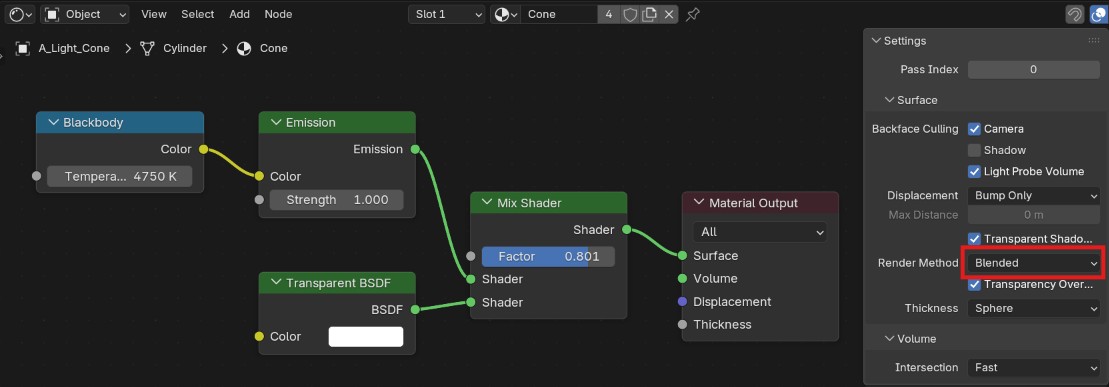
To get a better transparency effect, I changed Settings > Surface > Render method to Blended.
For the animation, the cone is simply scaled to 0 on the X and Y axes when it needs to disappear, thanks to a shape key.
Character animation
While making this video I realized that Blender’s animation tools are quite confusing : Timeline, Action editor, Graph editor, Non-linear Animation ! You get a lots of tools that are sometimes redundant, and if you’re not careful you can even erase your own work.
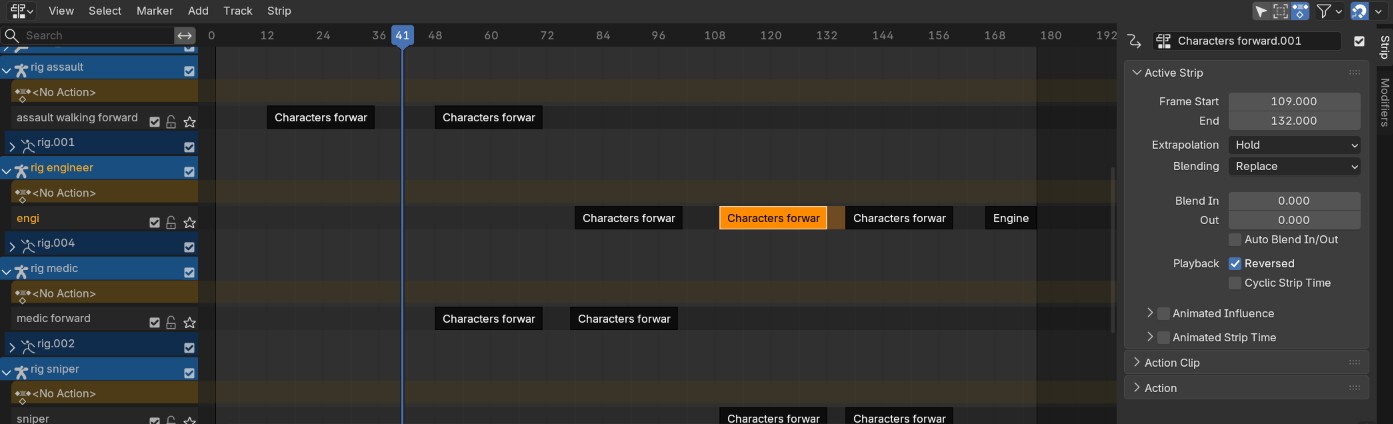
For this scene I used the Non-linear Animation tool. The NLA tool allows you to manipulate animations the way you would handle video clips in the video editor : they can be mixed, sped up, inverted, etc. I recommend Woodplank’s tutorial about this topic.
First, I created an action for each character for when they are selected. Then, I pushed this action into the NLA, duplicated it and inverted it for when the character is deselected. For the Engineer, who will be our main character, I added another action for when he is selected.
Interface
The interface uses textures from the game. I didn’t find which font was used in Forefront, so I used Bender, which was used in Escape from Tarkov.