Animated Sprites
1 minute read
In the Texture2D folder, some images contain multiple sprites used in animations, for example this one :
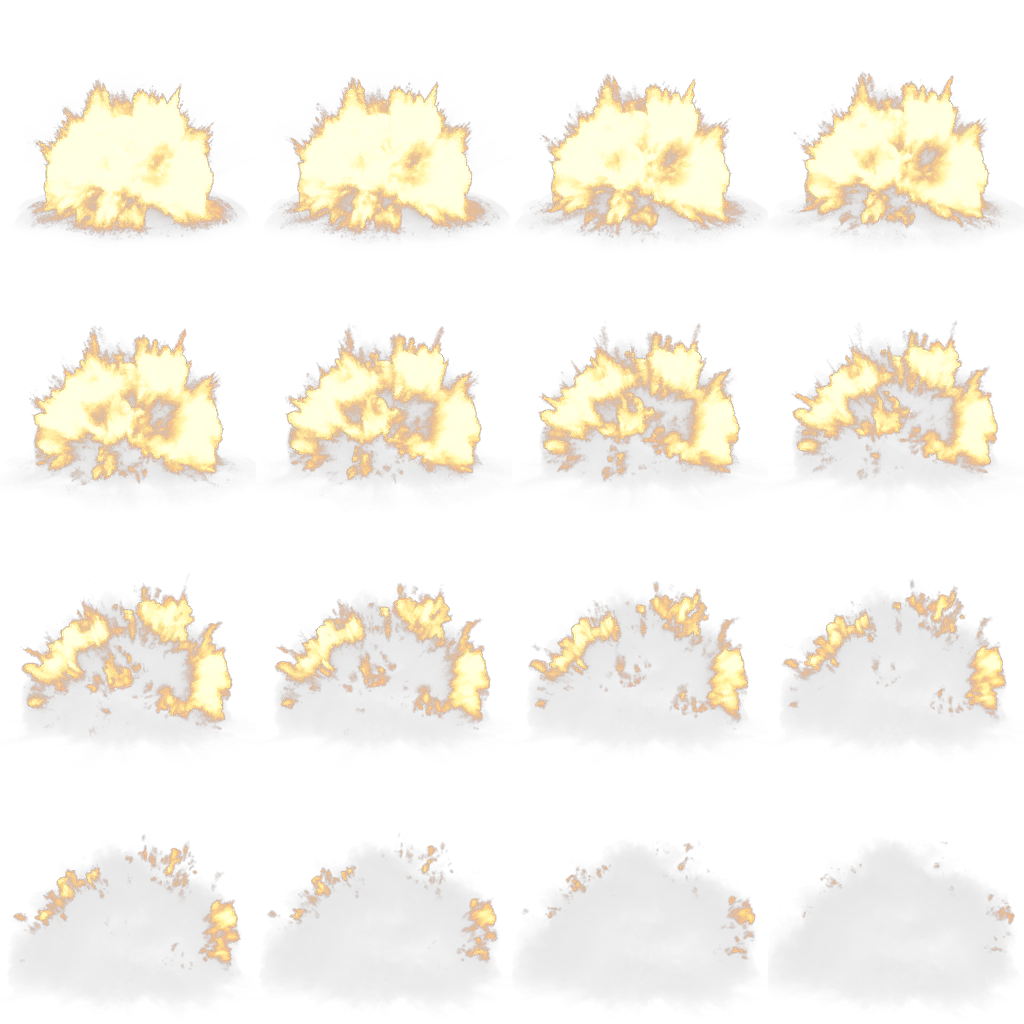
This is difficult to use in Blender, so I wrote a small Python script to separate the individual sprites from the full image :
= r
= r
= 4 # number of images in the Height direction
= 4 # number of images in the Width direction
=
=
=
=
# Create export folder if it does not exist
= rf
# Export
= 0 # image counter
=
= rf
=
+= 1
I used this technique for blood, muzzle flashes, explosions, etc. by importing them as mesh planes, and using an image sequence as a texture with the following material setup :
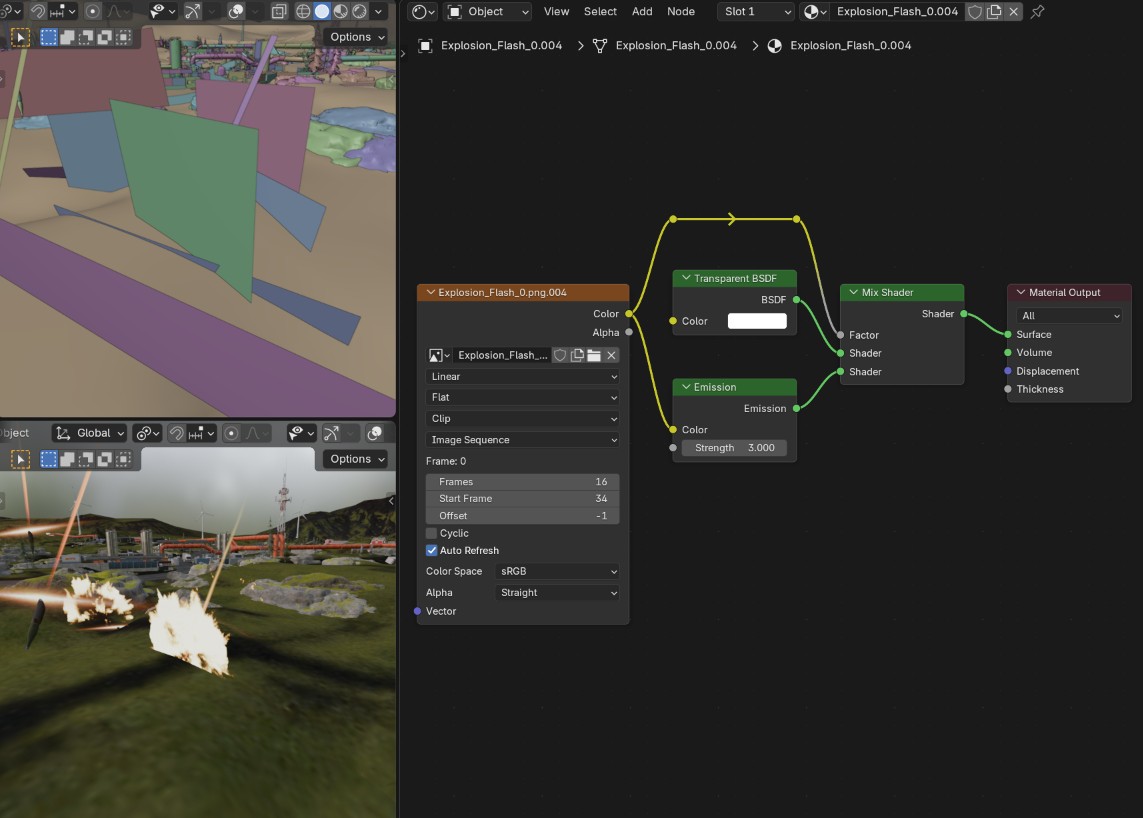
These sprites do not always have an alpha channel, they are often on a black background. In that case I used the color channel as a mix factor to change between a transparent BSDF and the colored sprite itself.
The sprites can be animated in two ways depending on your needs :
- Use
Auto refreshandStart frameto parameter an animation that will update every frame after the starting frame ; - Use the
Offsetparameter if to change the currrent frame. This is useful is you need to control the speed of the animation.
To hide the sprites, the easiest way is to send them 1000 m below the map.