Asset extraction
3 minutes read
Forefront runs on the Unity game engine, and some people have already developped tools to extract assets from the game files. Unfortunately, the process is very poorly documented, despite the fact that many people use these tools (for example for Youtube thumbnails).
Tools
The two mains tools you can use to extract assets are :
- Assetstudio allows you to read the game files, preview its assets and extract them. It is interesting if you need a specific item and don’t want to extract any unrelated files. The original github page is archived, so make sure to find a more recent fork.
- Assetripper allows you to extract part of or all of the game files. This is what I used to extract the Forefront game files.
Extracting the game files
Open the Assetripper executable, a console window opens, as well as an interface in your default web browser. Click on File > Open folder and select your game folder. If you don’t know where your game folder is, go to Steam, right click on the game, and select Manage > Browse local files. Assetripper will then search the folder for assets and load them. Once this process is finished, you can clock on View loaded files to visualize them.
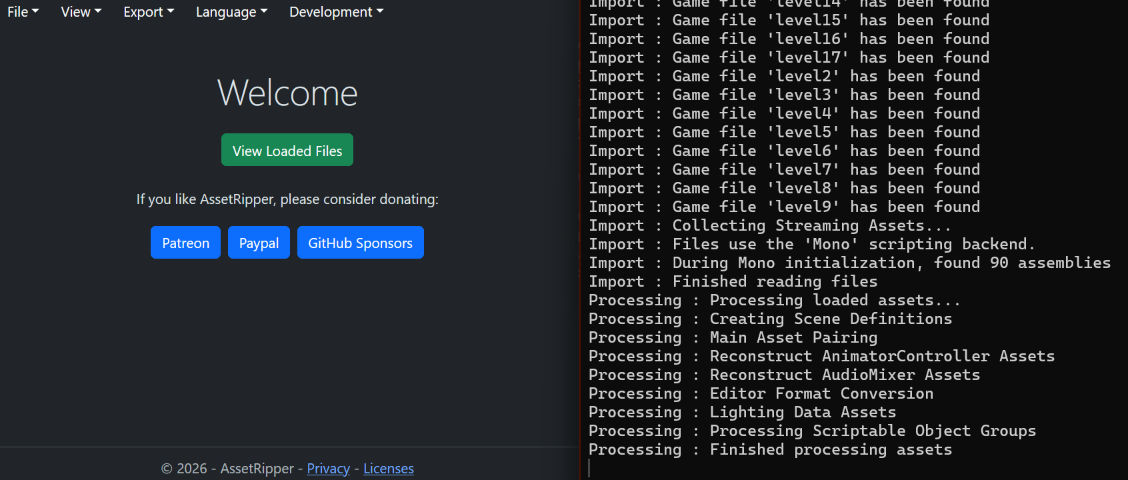
To extract the files, click on Export > Export all files. Click on Select folder to choose the output folder where the files will be extracted. Finally, click on Export all files to start the process. (You can also choose Export Unity project if you want to load the files directly in Unity.) You can follow the extraction progress in the console window.
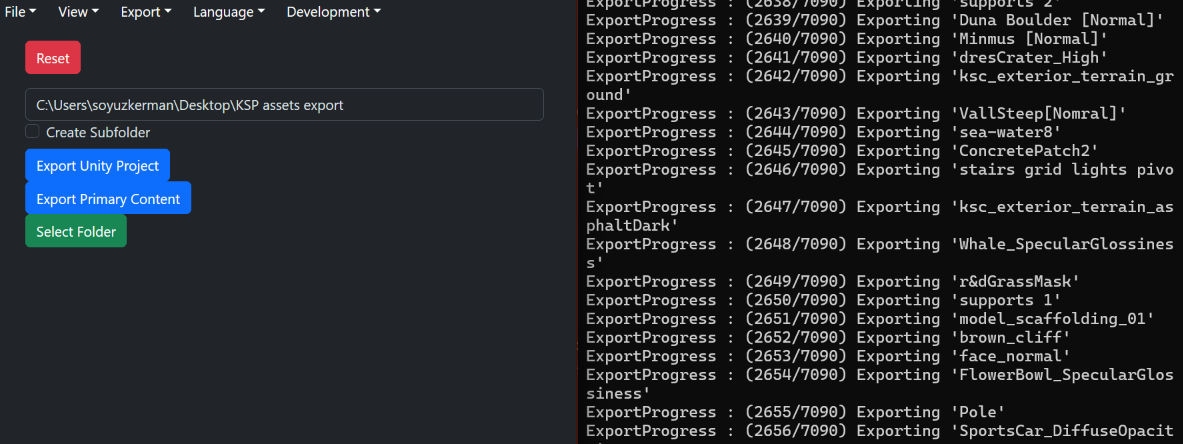
Once this process is over, you can find the files in the output folder.
Caution
Be careful when exporting large games. Forefront is only 35 GB, but Escape from Tarkov is more than 300 GB, which makes it impossible to extract everything at once.
In that case, select
File > Open files, and select only some game files. For EFT, I extracted the files by groups of 100 (for example level0 to level99 for the first group), then I merged the different output folders with WinDirStat because the Windows explorer could not handle it. The problem with this method is that you need a lot of free space, because there will be a lot of redundant data with each export.