Character rig creation
8 minutes read
In this section we will create a custom rig for the character. I recommend you watch the Rigi-All tutorial first to familiarize yourself with how it works. The specific steps for the Tarkov characters will be detailed below. After writing this I realize it’s a bit much and a video would be better, so only consult this if you’re stuck.
File cleanup
- Take the previous file with animations and save it as another file.
- Delete all useless objects (empties and meshes other than the character)
- In the
Outliner, open the armature, right click onAnimationand selectClear animation data. - Go into
Pose mode. Press Alt + R and Alt + G to reset the pose.
Fixing broken bones
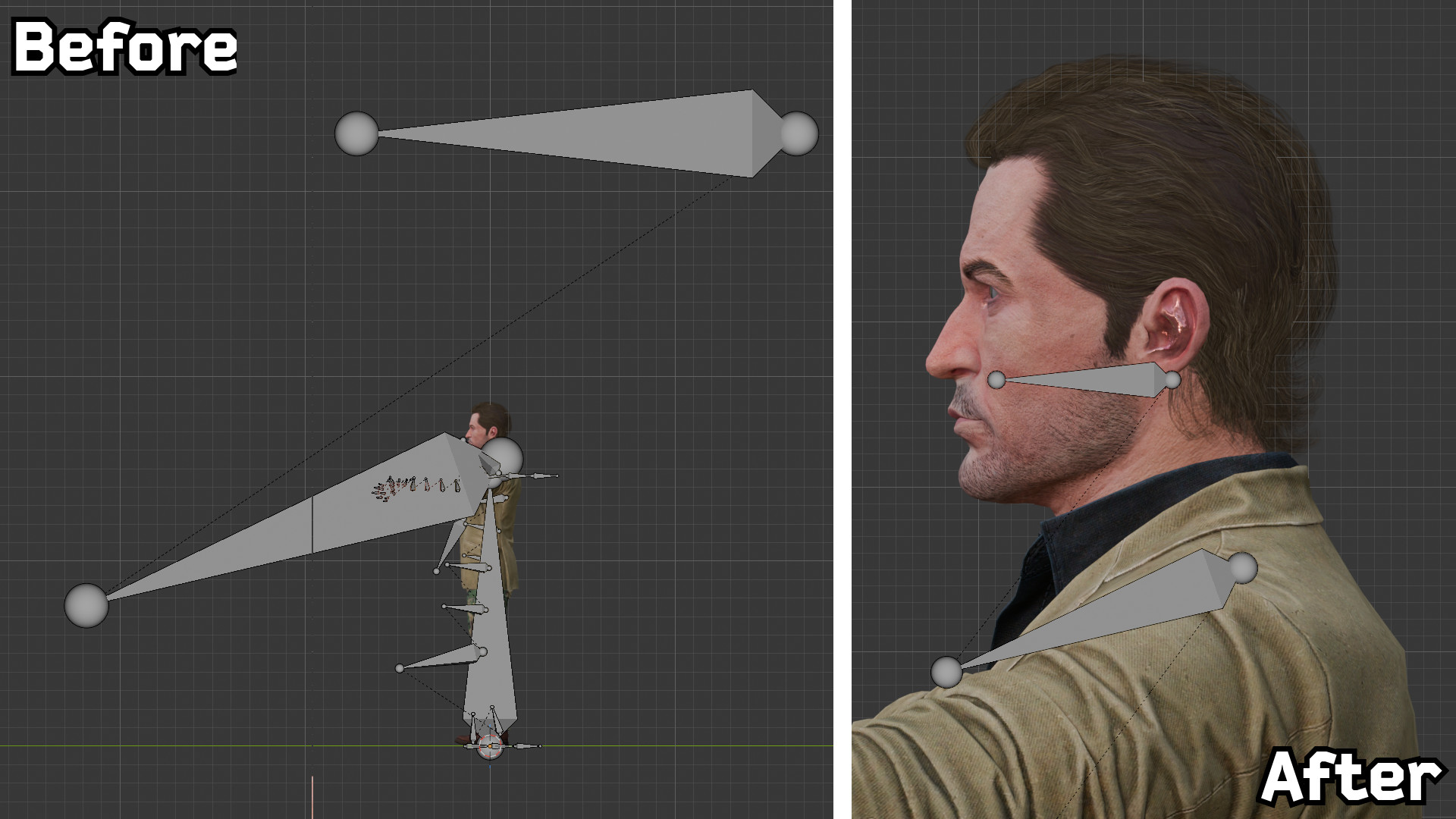
Sometimes the models are broken, and a few steps are required to fix them. In this example the head and its associated bones are positioned incorrectly. 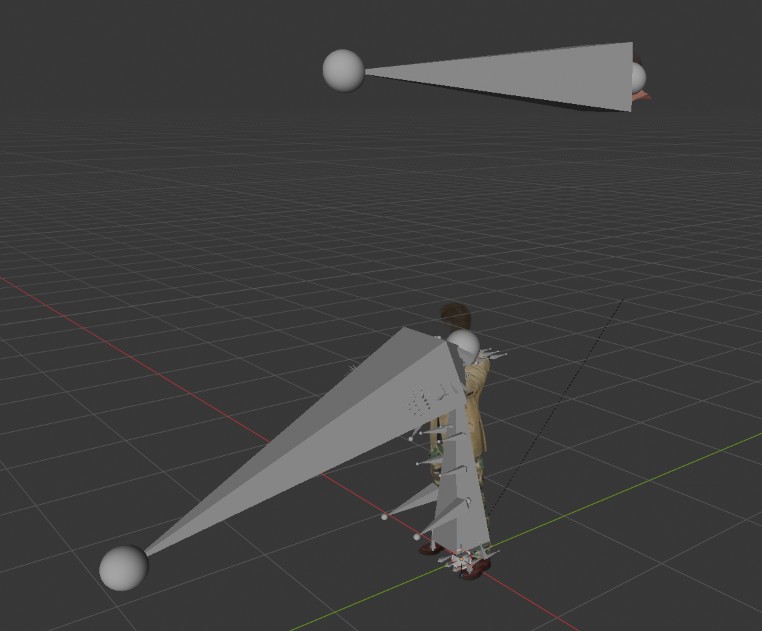 To fix this :
- Select the problematic mesh(es) and make sure its coordinates are (0,0,0). The mesh is now back where it should be.
- Select the armature and enter
Edit modeand move the problematic bones where they should be. In this specific example :- The neck bone must be scaled downed.
- The head bone must be moved and scaled down. On the other models this bone goes from the base of the ear to the base of the nose when viewed from the side, so this is what I did here.
Adjusting the bones with Rigi-All
We will now use Rigi-All to adjust the bone structure and create a Rigify rig. I recommend you follow the steps below in this specific order to avoid issues, as the Tarkov models don’t follow the typical bone structure you could find in other games.
Connecting the bones
Open the Rigi-All panel in the 3D Viewport.
Select the armature and click on
Initialize rig.In
Edit mode, delete theRootbone as well as any useless bone (for example, thePaperbones for the paper sheets the character can hold).In
Edit mode, for each side of the body :- Change the parent of the
Palm(hand) bone from theForearm3to theForearm1bone. - Change the parent of the
Calf(knee) bone from theThigh2to theThigh1bone.Note
We must do this because the Tarkov models have extra bones on each limb. Without changing the parenting, Rigify would not be able to build the arm and legs correctly.
- Change the parent of the
Enter
Pose mode. In the Rigi-All panel, activatePose mirrorandEdit mode mirror.In the Rigi-All panel, open the
Fix Symmetry Namemenu. Enter" HumanL"and" HumanR"as the left and right symmetry keys, respectively. Don’t forget the space before the first letter. This will rename the bones to make them compatible with Blender’s symmetry systems.With the
Auto-complete other sideoption enabled, select all of the finger bones from one hand and click onMake fingers, and validate the default option. The finger bones should have changed position.Select the neck bone and the head bone, then click on
Make neck/head.Select the spine bones (from the
PelvistoSpine3included) and click onMake Spine.Disable the
Auto-complete other sideoption.Select the
Collarbone.Rbone and click onMake right Shoulder. Do the same for the left side. Do this step now to avoid forgetting it later.For each side of the body :
- Select the
UpperArm, theForeArm1and thePalmbones, then click onMake left ArmorMake right Armdepending on which side you are working on. - Select the
Thigh1, theCalf, theFootand theToebones, then click onMake left LegorMake right Legdepending on which side you are working on. This will create a newHeelbone.
- Select the
In
Edit mode, Move the newly createdHeelbones to the rear of each foot.In
Edit mode, connect the tail of theCollarbone(shoulder) bones to the head of theUpperarmbones. To do this precisely, use Armature > Snap > Cursor to selected on the head of theUpperarm, then Armature > Snap > Selection to cursor with the tail of theCollarbone.
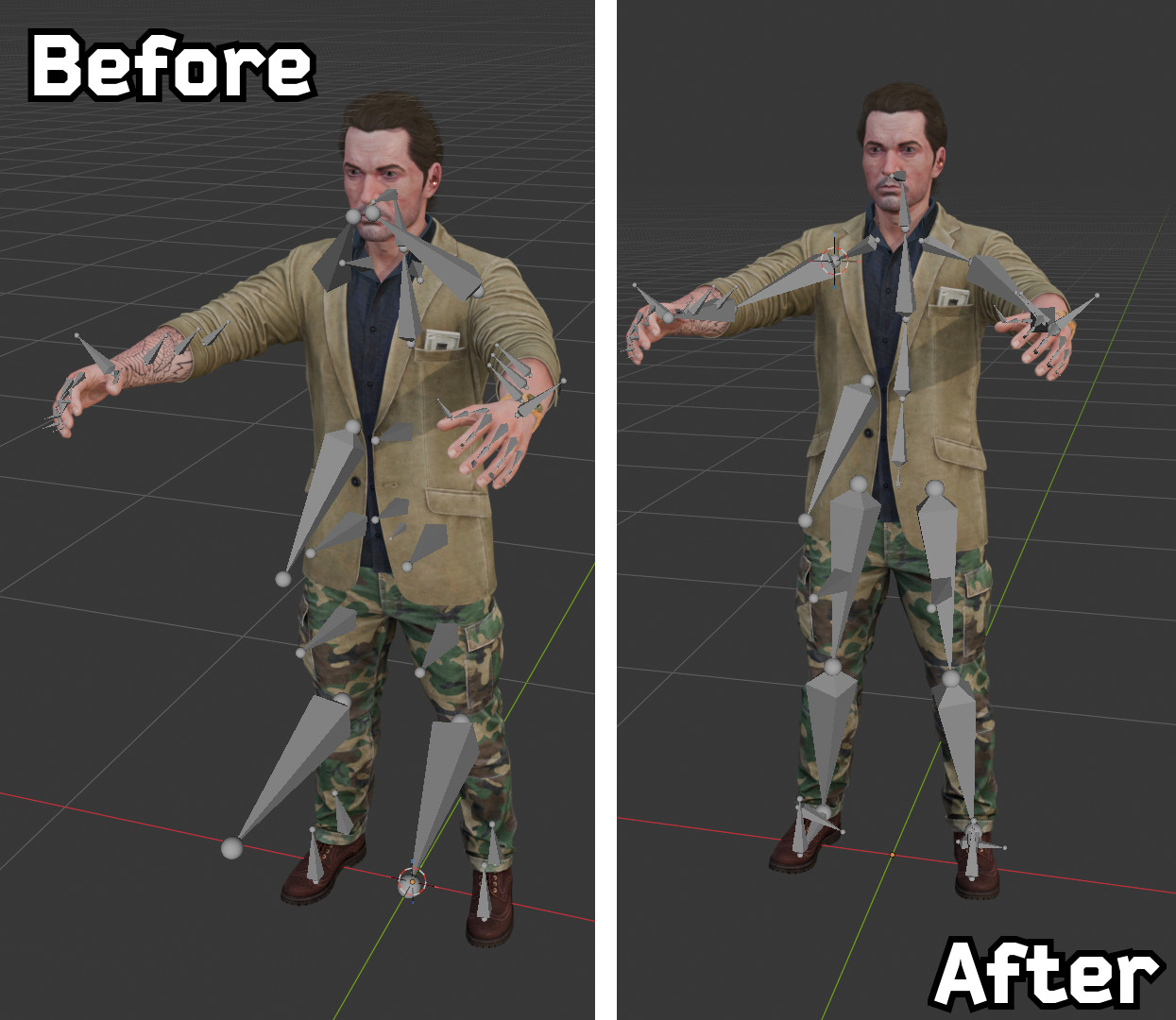
The resulting rig should look like this :
Adjusting bone roll
In order for the Rigify rig to work correctly, we still need to adjust the bone roll so that they rotate in the correct direction. In general, you want the Local X axis of each bone to follow the natural rotation of the body. If symmetry is still enabled you only need to do this on one side of the body.
In
Pose mode, select all of theSpinebones from thePelvisto theHeadand clickSet Roll to 0.Select the
Toe, thePalmand the tips of theFingerbones, then click onRoll by -90° > -Zto make them point in the correct direction.In
Edit mode, move theToeso that it its tail is on the tip of the foot.Adjust the leg bone roll :
- In
Edit mode, select the leg chain from theThigh1to theToe. Press Shift + N to open the Bone roll menu. ChooseLocal +X tangent. - Select the leg chain from the
Thigh1to theFoot, with theFootas the active bone. Press Shift + N to open the Bone roll menu. ChooseActive bone.
- In
Adjust the arm bone roll :
- In
Edit mode, select the arm chain from theCollarboneto thePalm. Press Shift + N to open the Bone roll menu. ChooseLocal +X tangent. - Select the leg chain from the
Collarboneto theForearm1, with theForearm1as the active bone. Press Shift + N to open the Bone roll menu. ChooseActive bone.
- In
Adjust the finger bone roll :
- In
Edit mode, select all of theDigit(fingers) bones. Press Shift + N to open the Bone roll menu. ChooseLocal +X tangent. - Select the thumb chain from the
Digit11to theDigit13, with theDigit13(tip of the thumb) as the active bone. Press Shift + N to open the Bone roll menu. ChooseActive bone.
- In
Creating the rig
Now we can complete the final steps and generate the Rigify rig.
- In
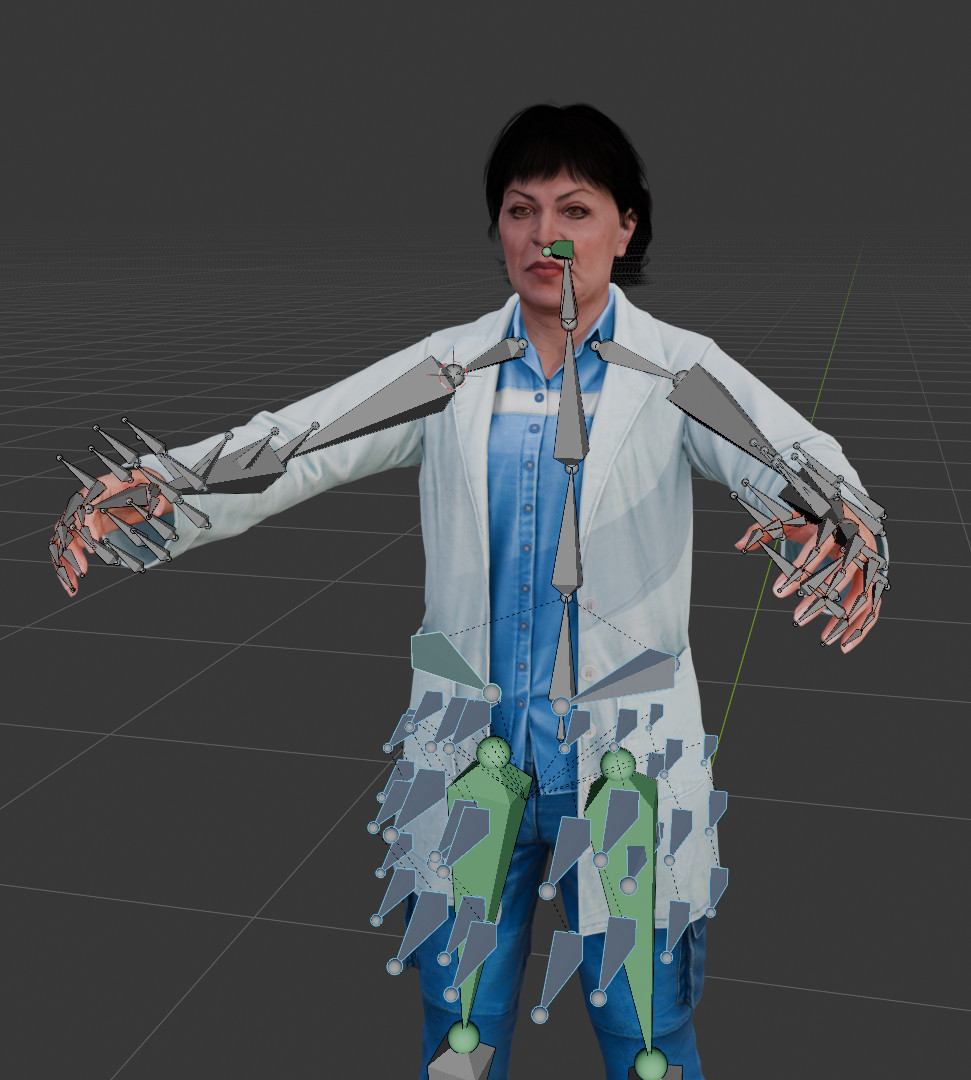
Pose mode, select all the untouched bones. These include the extra limb bones, theRibcagebone (that you could actually delete, because it’s not useful) and all of the clothing bones, as seen below with Therapist’s jacket :
Click
Make extrasin the Rigi-All panel. Choose any shape, this can be changed later.In
Object Mode, select the Armature and press Ctrl + A, thenApply all transforms(for some reason, if you don’t, the rig will be rotated).Click on
Data > Rigify > Generate Rigto create the rig.Check if the mesh is set up correctly. For each mesh object :
- Check if the
Armaturemodifier points towards the newly created RIG object. - Select the mesh object. In the Rigi-All panel, click on
Clean up > Add "DEF-" to Vertex Groupsto make Rigify detect them.
- Check if the
In
Pose mode, check if the rig deforms correctly.Use the
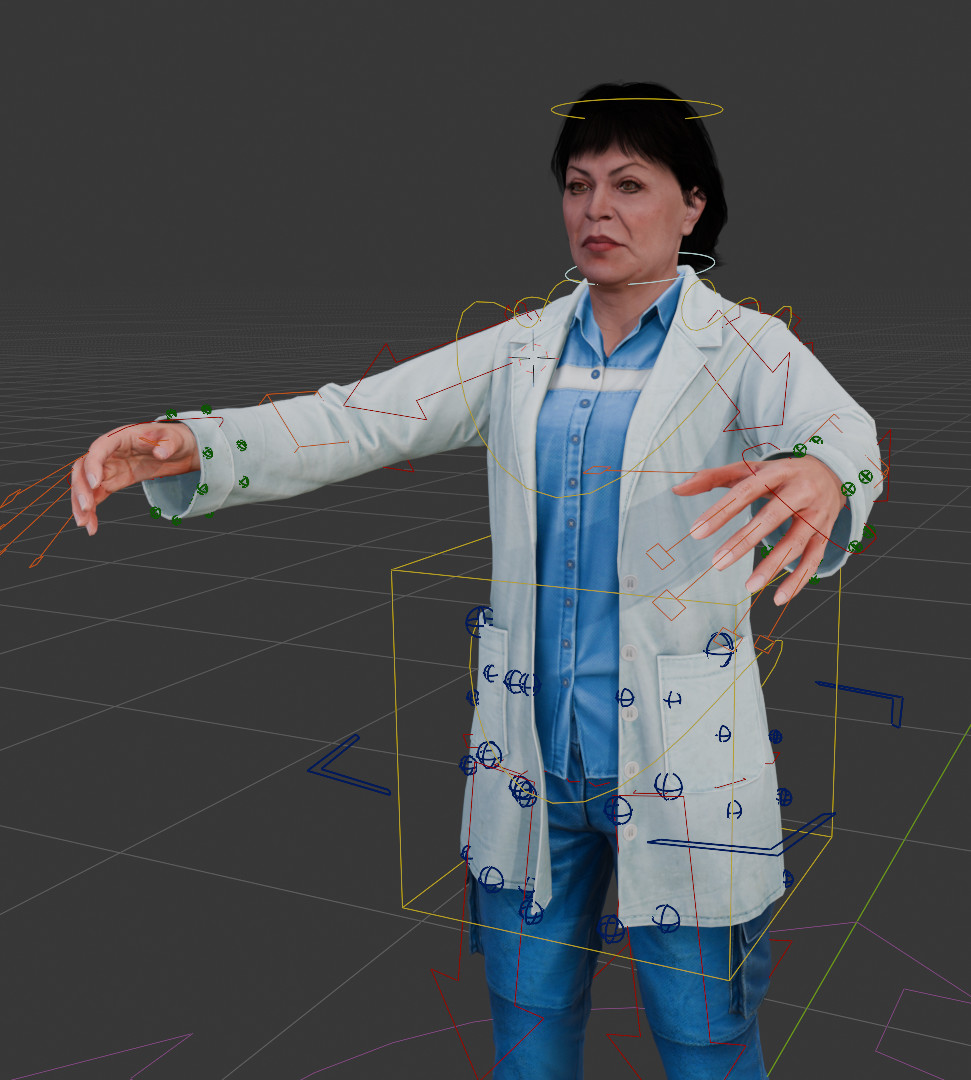
Bone > Viewport displaymenu and the Bone Widget add-on to adjust the bone position and shape. In the example below, I marked the extra limb bones as orange cubes. The jacket bones are blue spheres, the sleeve bone are green spheres. This makes the rig more readable and eaiser to use(Optional) In
Object Mode, select all of the meshes (except the hat), then the armature and press Ctrl + P, then select
Posing and results
Now is the time to use the rig and make some great shitposts. To pose the face, select the head mesh and use Shape Keys in the Data > Shape Keys menu.