Shader node groups
3 minutes read
Previous porting methods
tarkin has developed some tools that could be used with previous versions of Blender to import maps from AssetStudio, which you can find on his Github.
Unfortunately, these scripts are outdated and cannot be used with the current Blender versions. Certain comments about the material setup do not match with my observations, but it is impossible to know if it is due to an EFT update or an AssetStudio update. For these reasons, it was necessary to develop a new add-on.
Textures
Texture types
The main texture types used by Escape from Tarkov are the following :
- Diffuse texture : contains the Base Color in the RGB channels. The alpha channel contains either the specular data or the alpha for transparency.
- Glossy texture : it’s the opposite of roughness in Blender, it can be used with an Invert Color node.
- Normal map : a texture to add surface detail to the materials. AssetStudio imports them as “red” normal maps, which cannot be used directly in Blender and require a conversion which will be detailed later.
- Emission texture : a mask to tell which parts of the model must be emissive.
Here is below an example of the four texture types : 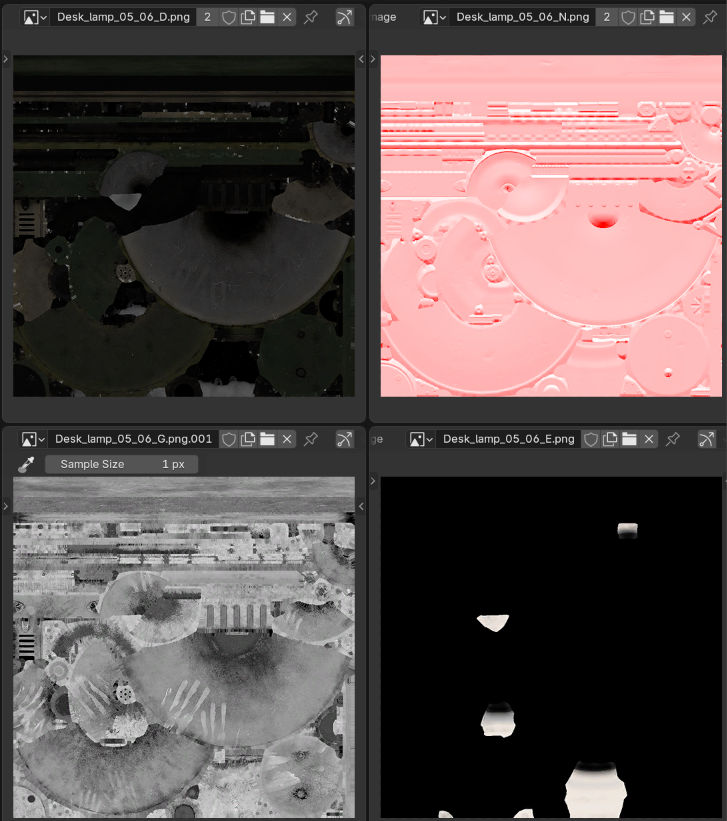
Naming conventions
The naming conventions are contained in the DGN_TYPE_LIST array of the tarkdata.py file. Files are named under the convention [name]_[type].png, for example Ammo_box_G.png is the glossy texture of the “ammo box” object. Here is a more readable table of the naming conventions :
| Diffuse texture | Glossy texture | Normal map |
|---|---|---|
| D | G | N |
| d | g | n |
| diff | gloss | nrm |
| DIF | GLOS | NRM |
| dif | glos | nrm |
| albedo | gloss | normal |
| [Albedo] | [Glossy] | [Normal] |
Unfortunately, these naming conventions are rarely respected, which made the material setup script much more complicated than it needed to be. This will be detailed later.
Node groups
Opaque node group
This is the default node group I came up with. The inputs correspond to the different channels of the textures, except for the normal map which must be converted through another node first. tarkin used the alpha channel of the diffuse texture as a specular, but I found that using it as a metallic map gave better results. As we discussed before, the glossy texture is an inverted roughness texture. 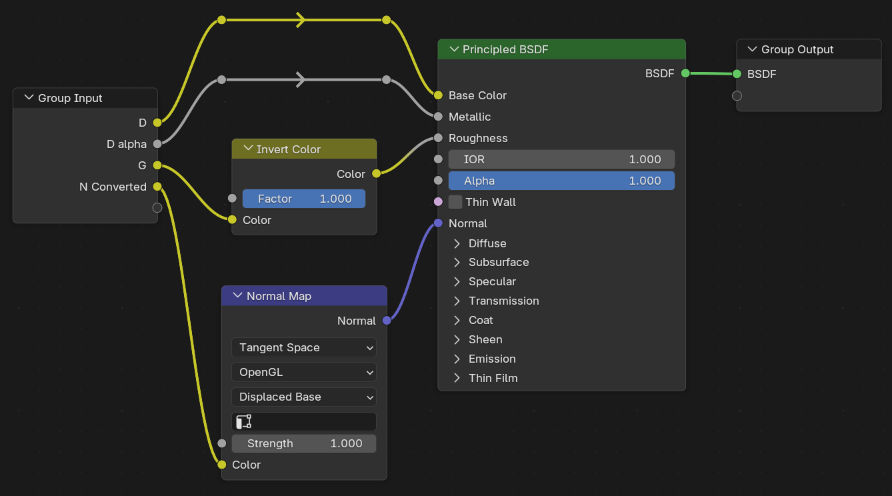
Transparent node group
The diffuse texture alpha channel goes directly to the alpha parameter for transparency, instead of going to the metallic. 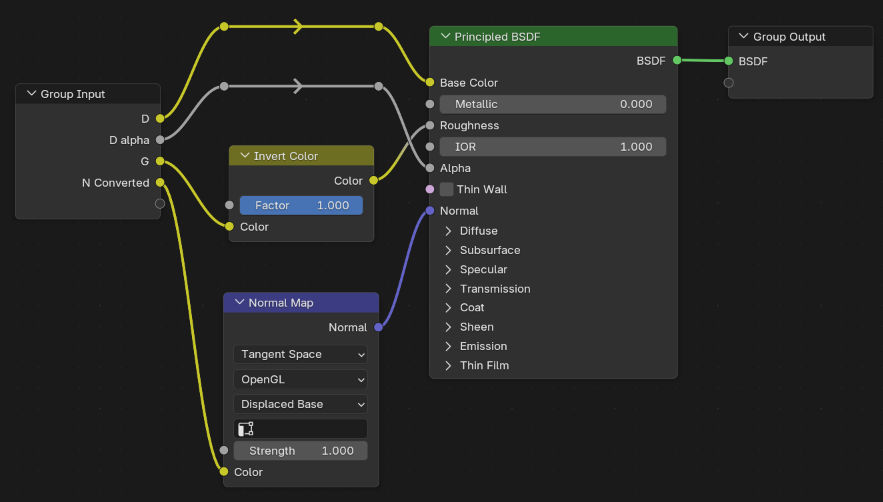
Emissive node group
The node group has two additional inputs for the emission texture and the emission strengh, which does not depend on a texture and can be set manually. 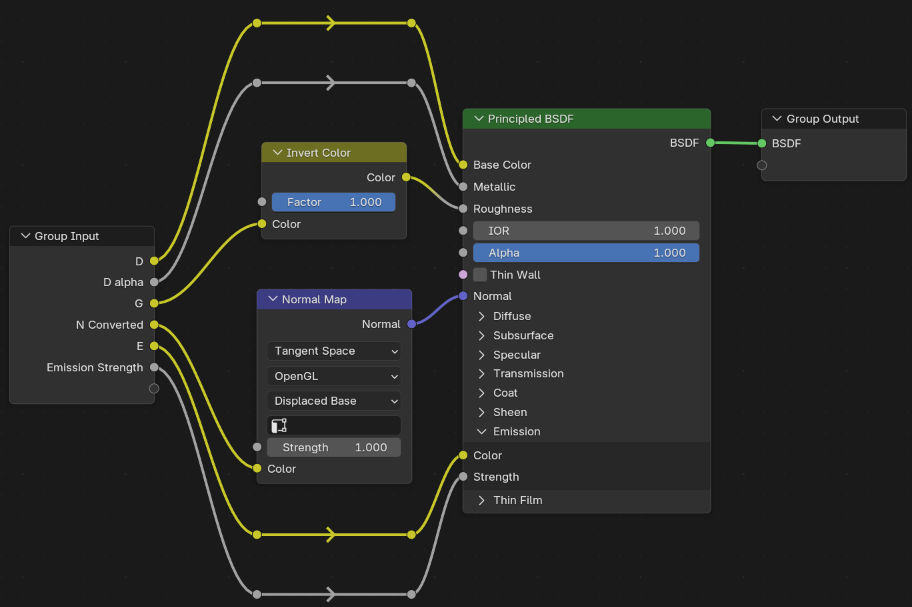
Puddle node group
A custom node group for the puddles sometimes present on the ground, basically a mix of a transparent material and a glossy puddle texture. 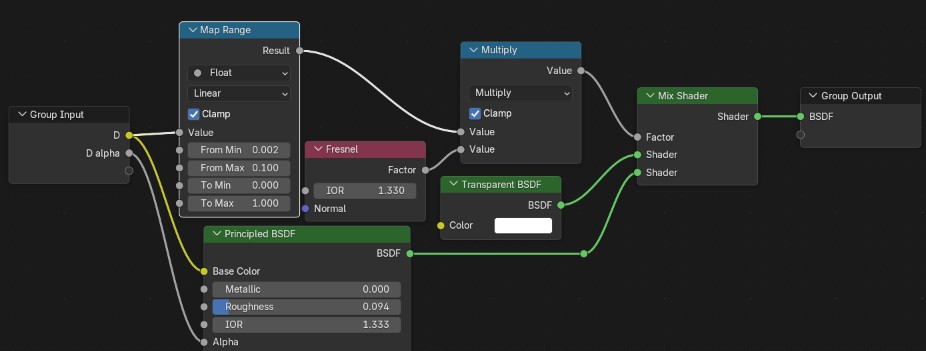
Example
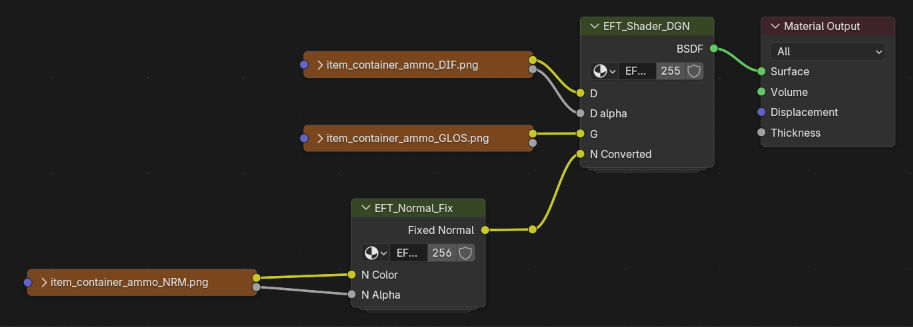
Here is an example using the opaque node group with an object.