Opticore ray fans
3 minutes read
Opticore
Opticore is a free add-on that allows you to easily create optical elements within Blender, by specifying their radius of curvature (similarly to optical design software like Zemax).
Opticore can also calculate the refraction and import it as mesh edges in the scene, which makes this method similar to the previous one, except that we are using an add-on instead of a node setup.
Generating the ray fan
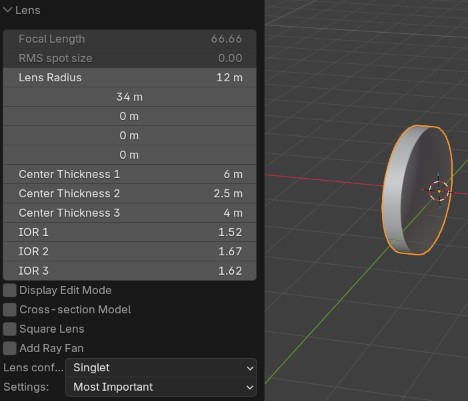
In object mode, a new Mesh > Opticore optics > Lens. A lens is added, and in the bottom left corner of the viewport, a new window is added, where you can select your lens parameters. If you need a glass cube, set all the curvature radii to 0.1 For this example I chose a lens with one flat surface and one convex surface :
Then, click on Settings and choose ray tracing. This opens a new menu with various settings to trace the light rays :
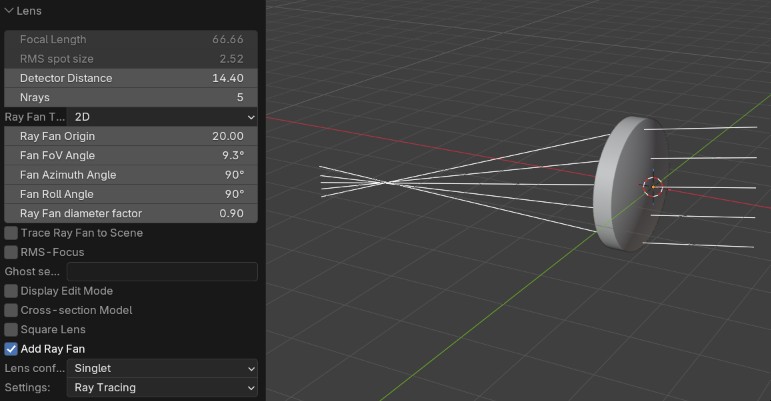
The light rays are actually a mesh object, so it requires a small node setup to convert them curves, and then to convert them to tubes (see the page about the laser material).
Warning
Once you click off the lens, the lens object and its ray fan are fixed and cannot be modified.
For the lens, I used the following material setup : 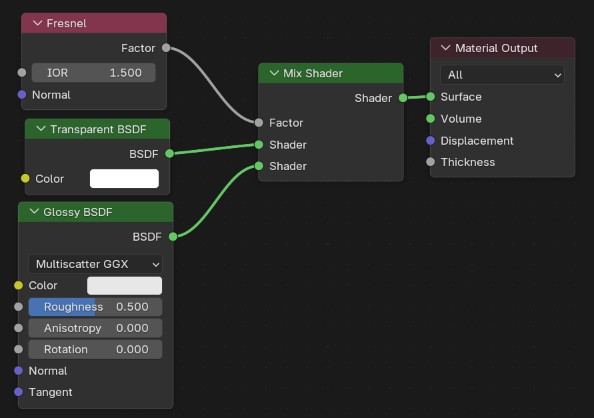
Finally, the results are shown below, rendered with EEVEE :
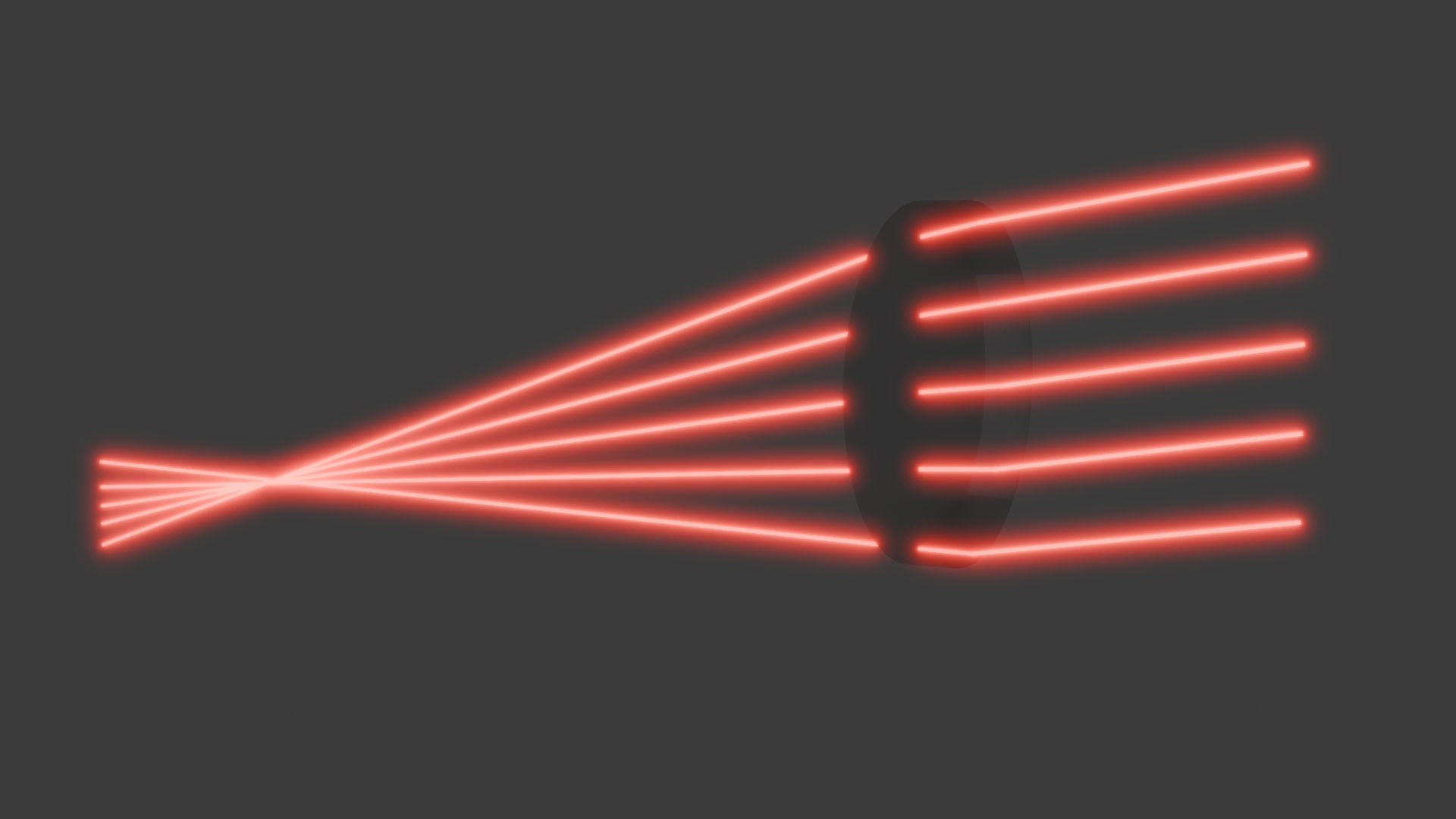
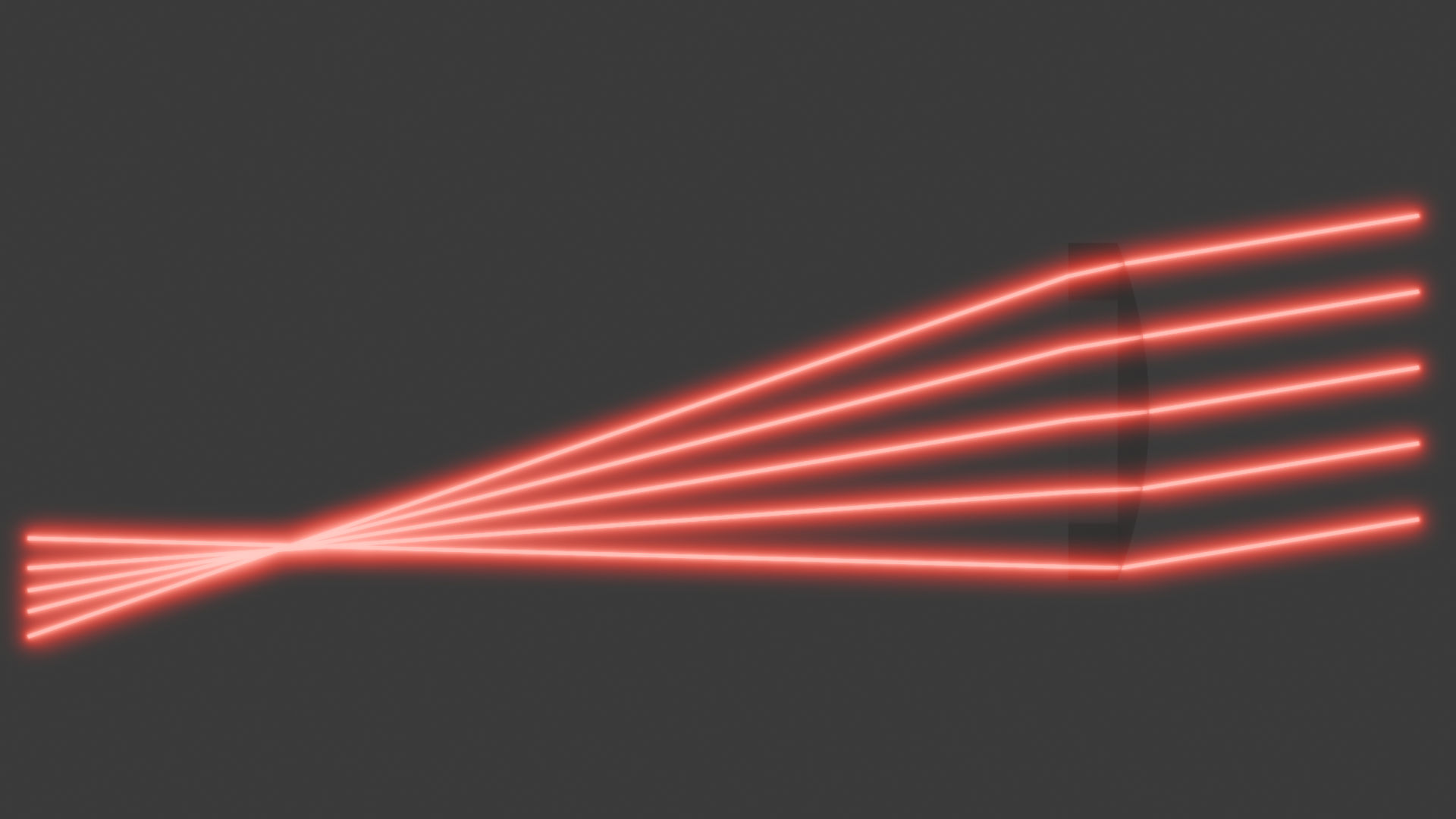
The rays are visible from the side view. For any other views, the glass material I used here might make parts of the ray disappear.
Summary
This methods uses the Opticore add-on to generate an optical element with its associated ray fan, which can be turned into a laser with the setup described previously. Another type of glass material than the one presented here would be interesting to make the entire ray visible from all sides.
| Pros | Cons |
|---|---|
| + Very fast and clean beams (geometry and EEVEE) | - Add-on required |
| + Good beam quality | - No reflection |
| + Internal reflection is visible | - Cannot be modified after clicking off the object |
A surface with a radius of curvature of 0 is actually an infinitely curved surface. A flat surface has an infinite radius of curvature. But for a software interface it is easier to enter 0, so that might be why it is defined this way in this add-on. ↩