Blendluxcore render engine
3 minutes read
Setup
BlendLuxCore is the Blender integration of LuxCoreRender, an free and open-source rendering engine made to be as realistic as possible. In short, it can do things that Cycles cannot, and is meant to provide a more realistic result.
To use it, start by installing the BlendLuxCore addon. Then, enter the following settings (taken form Micro Singularity’s tutorial) in the Render tab :
- Render Engine : LuxCoreRender, this makes new parameters appear in this tab.
- Lighting integrator : Bidirectional (traces rays from both the camera and the light source)
- Samples > Sampler : Metropolis
- Halt Conditions : you can use either a render time or a number of samples. This settings are optimized to render caustics, which is the technical word describing what we are trying to model here. This is something Cycles struggles with.
Once the LuxCoreRender engine is chosen, new options appear in the material tab. For the ground, choose the Matte option, this corresponds to the default Diffuse BSDF with a high roughness. For the glass block, choose the Glass material with the following parameters :
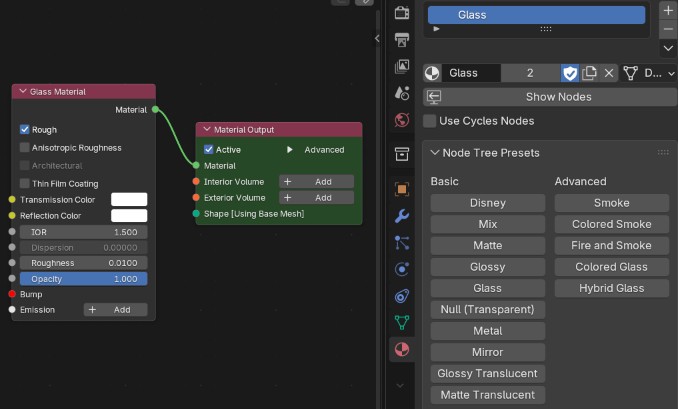
The only parameter that needs to be changed is to enable roughness and set it to a low value (for example 0.01). Otherwise, the light rays will not be visible through the glass block.
Then, we can add an area light source slighly tilted towards the ground plane. Instead is a 0° spread, BlendLuxCore implements a laser which can be enabled. It avoids some artifacts that could appear with a 0° spread.
Results
Here is the result with 512 samples :
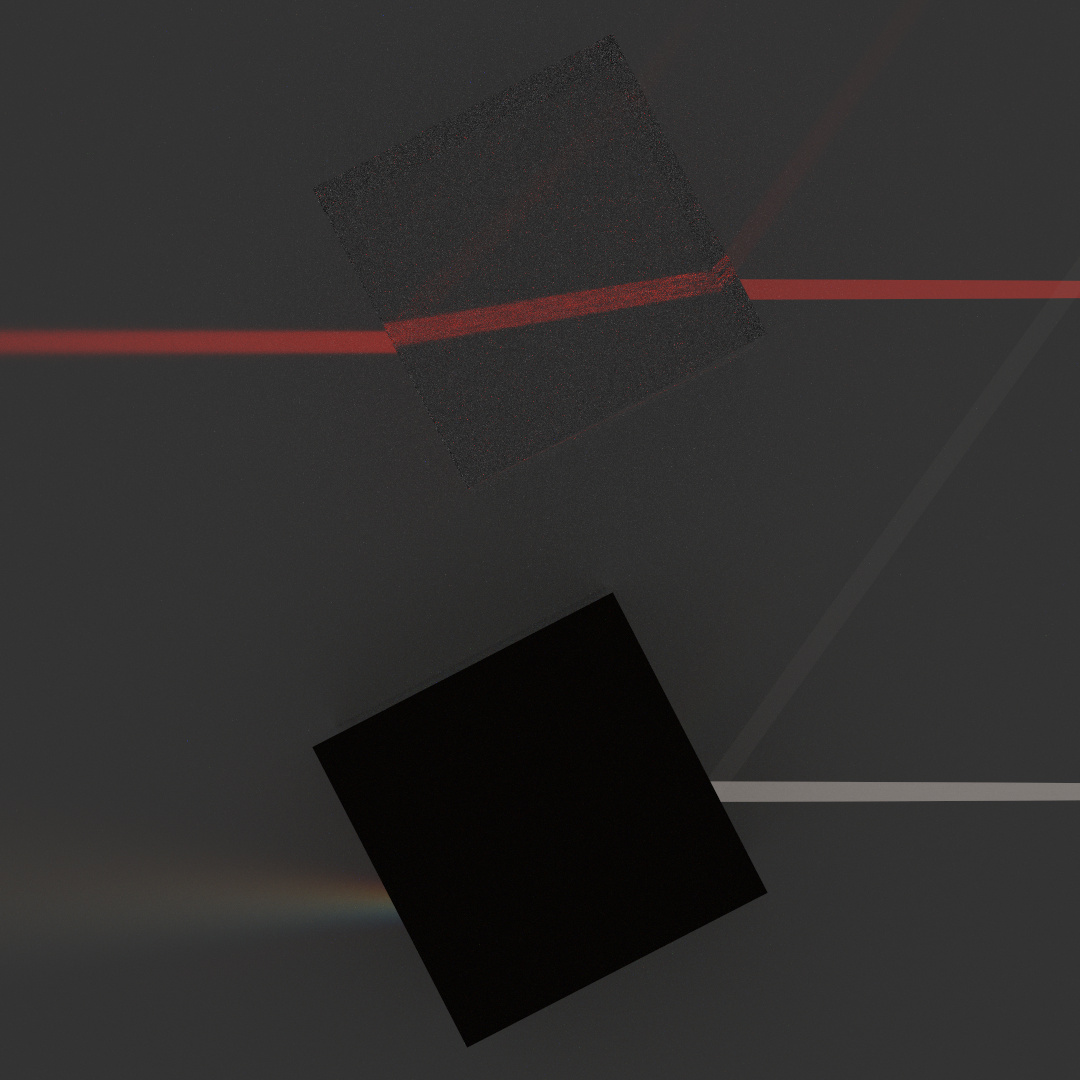
Unfortunately, the roughness and dispersion parameters are mutually exclusive, which explains why it is not possible to see through the bottom glass block. I have not found a way to see through the glass blocks without a non-zero roughness value.
This process gives cleaner beams than the equivalent with Cycles, but is still a slow process.
Summary
BlendLuxCore is an addon implementing another render engine in Blender. It gives better results than Cycles for the rendering of caustics, it its settings are chosen correctly.
| Pros | Cons |
|---|---|
| + White light dipersion is possible | - Add-on required |
| + Good beam quality | - Specific render settings required |
| + Internal reflection is visible | - Slow render / noise |