Custom light setup
3 minutes read
Modified Spotlight
This solution was proposed by DNorman on Blenderartists. This time, we use a glass block with roughness = 0. The light source is a custom spotlight setup designed to limit the beam spread.
Although I don’t understand the node setup detailed below, DNorman explained that their inspiration was a “barn door” spotlight commonly used for theater stages. This node setup only works with a spot light source. If it is applied to an area source, the light beam is not refracted properly and other weird effects appear. An example with this node setup is shown below :
The following settings must also be enabled for the objects present in the scene :
- For the light source : Data > Settings > Shadow caustics.
- For the glass block : Object > Shading > Caustics > Cast shadow caustics, the object must also be set to shading smooth. A bevel modifier can be used to avoid any distorsion caused by the smooth shading, by keeping the faces mainly flat.
- For the ground plane : Object > Shading > Caustics > Receive shadow caustics.
Results
This render was produced with 512 samples. The top glass block has a simple Glass BSDF, while the bottom glass block uses a custom material provided by DNorman.
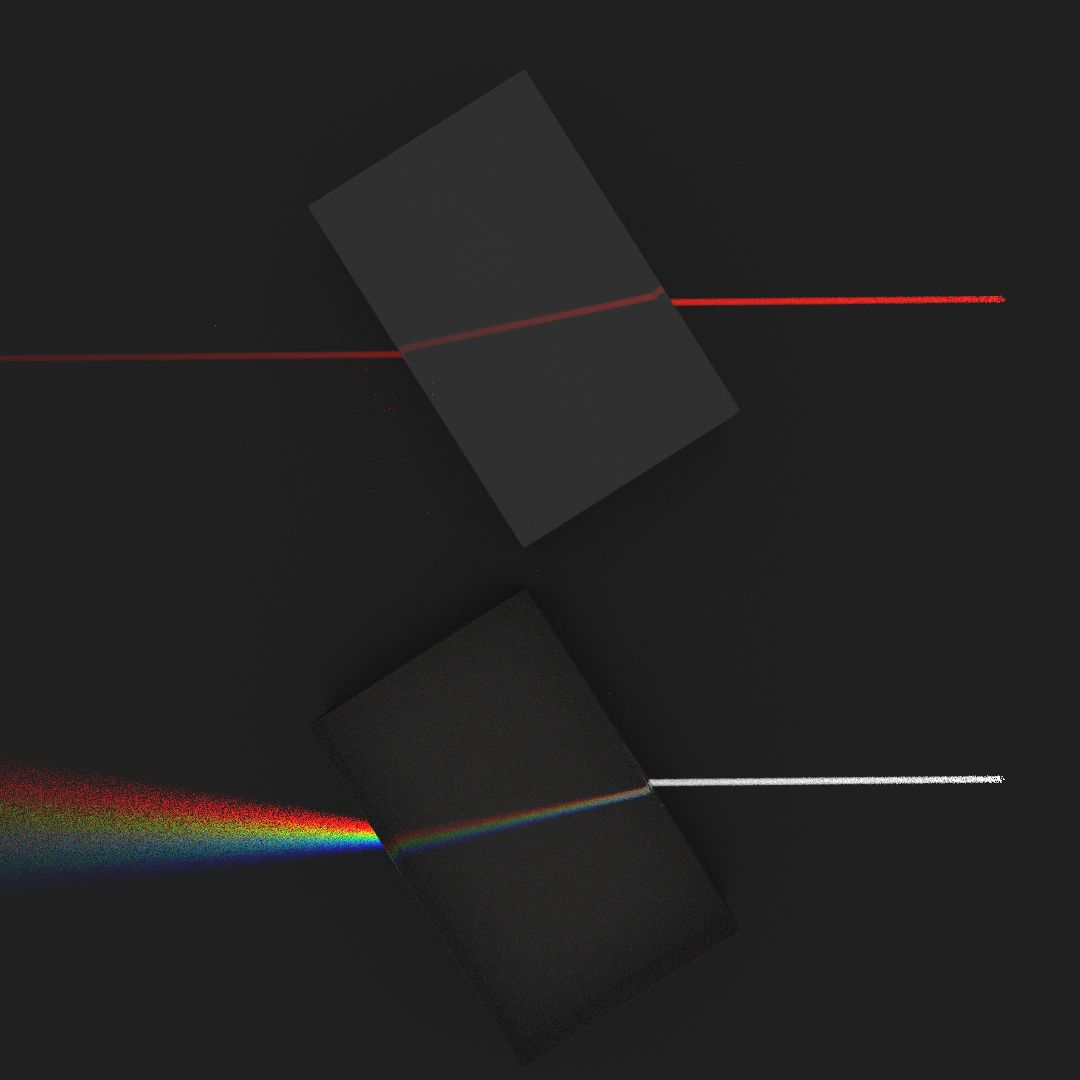
The red beam is very clean and can form almost instantly for small beam diameters. The white light beam suffers from noise because of its dispersion, since the beam is enlarged after going through the glass.
Similarly, it is possible to enlarge the beam through the Light > Radius setting, but this will increase the noise.
Summary
This node setup allows to create light rays through a custom light setup, which gives clean beams that are also fast to render.
| Pros | Cons |
|---|---|
| + Clean beam | - Requires custom node setup (but you can simply download it) |
| + Fast render | - Internal reflection is not visible |